I used to spend so much time just understanding and debugging ML models.
Jumping between forward(), print statements, and graphs, trying to figure out where a tensor shape went wrong. Sometimes the fix was one line. Finding it took most of the effort.
So I built TensorViz.
https://www.youtube.com/watch?v=n3YcH4bSc8c
The model I wanted to see
The video shows a familiar problem. A backbone outputs 2048 features, but the next Linear layer expects 512.
The error tells you those dimensions disagree. You still have to work out where they came from, which layer needs changing, and how that layer connects to the rest of the model.
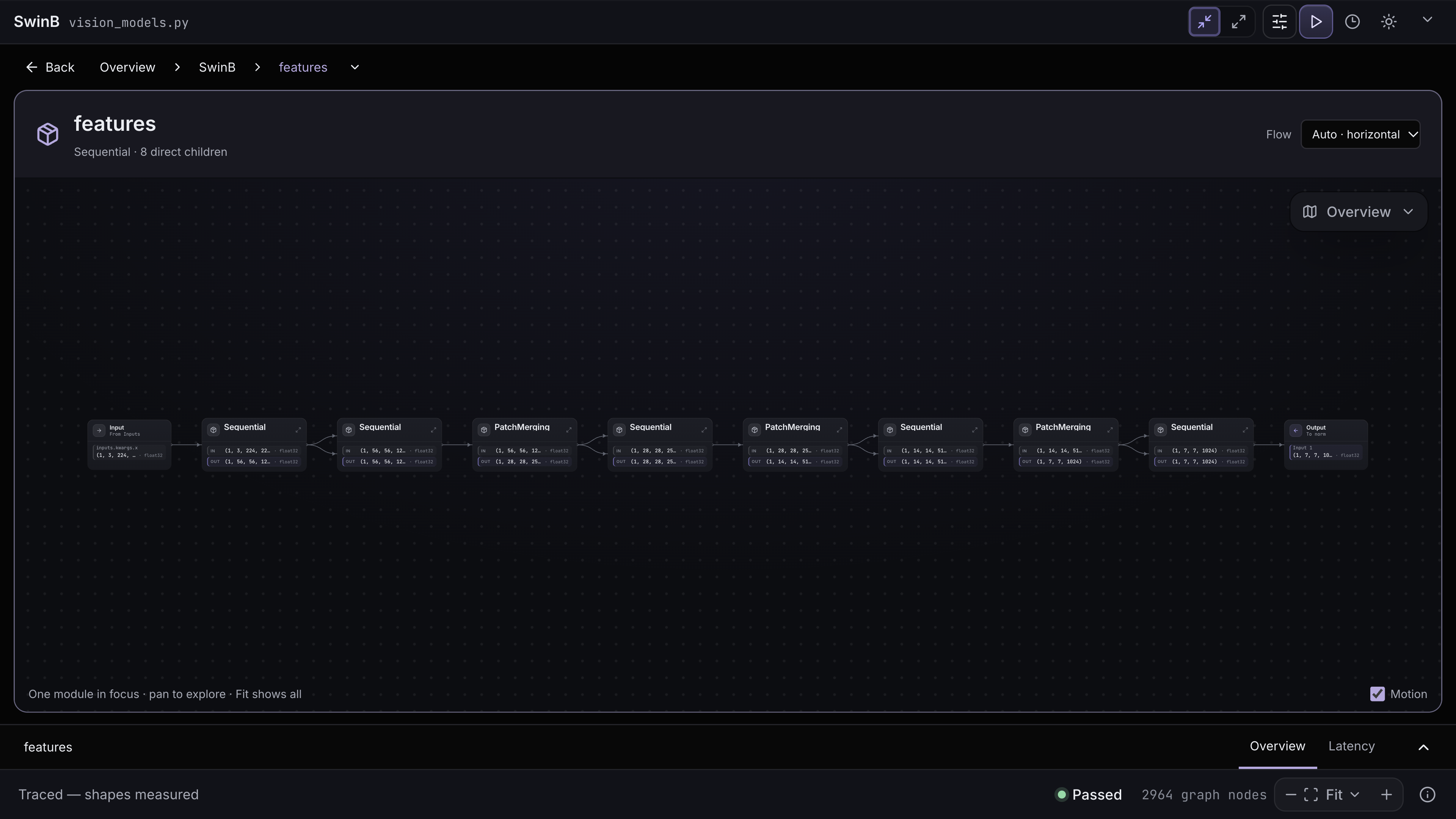
In TensorViz, you can follow the model's architecture and tensor shapes, inspect the layer at the mismatch, jump to its Python source, make the change, and rerun.
For this example, the head needs to accept 2048 input features. The video follows that repair through to a passing run.
Beyond the graph
TensorViz is also a plugin for coding agents and an IDE extension. The goal is to keep model context where you're already working, whether you're inspecting the architecture yourself or working with an agent in VS Code, Cursor, Claude Code, or Codex.
I want to spend less time reconstructing a model in my head and more time working on it. That's the experience I'm building toward.
Give TensorViz a try and tell me what gets in your way when you're understanding or debugging a model.
Disclosure: I build TensorViz. This post was drafted with AI assistance.
About the author
- We build tensorViz, a free VS Code extension for exploring PyTorch model graphs, captured tensor shapes, source code and architecture changes. Here we share practical model-inspection walkthroughs. Try browser examples at https://tensorviz.dev/explore/.
Comments
Join the discussionNo comments yet. Be the first to comment.